Software we have built, and how it works.
Record Digital builds whole business systems: for the lift industry, civil engineering and surfacing, specialist packaging and a full ERP for a drinks company, as well as the platform we run our own IT company on. Some are AI-assisted and some are not. These are real screens from systems in daily use, filled with demo data so that no client details are shown.
The fix is ready before the engineer opens the ticket.
Brad is the platform Record Digital runs its own IT support on, and it is where our software work began. A ticket comes in, Brad investigates it, and the engineer finds the cause, a plan, a proposed fix and a drafted reply waiting. Nothing runs and nothing is sent until a person says so.
- One desk for everything. Email, phone calls, the customer portal and monitoring alerts all land in one list: what the customer wants, how long they have waited and what is ready.
- AI does the legwork. Read-only checks across Microsoft 365, devices, phones, DNS and the ticket history produce a diagnosis, a numbered plan, the evidence and one proposed fix.
- A person stays in charge. Each approval is single-use, tied to that exact action and expires after four hours.
- Checked, not assumed. A command that has finished counts as awaiting verification, not fixed. It is read back a few minutes later, and again later where the effect takes time.
- Customers kept informed. The reply is drafted from what actually happened. A person always sends it.
- Cyber reports with evidence behind them. Evidence is collected on a schedule and the PDFs are built overnight. Out-of-date evidence blocks a report from going out.
- Microsoft 365 across every customer. A daily read-only sweep of each tenant for lookalike guests, risky apps and admin changes, plus one security score per customer and the three things that would raise it.
- Monitoring, patching and backups. Devices check in about every minute. Critical alerts open a ticket and close themselves on recovery.
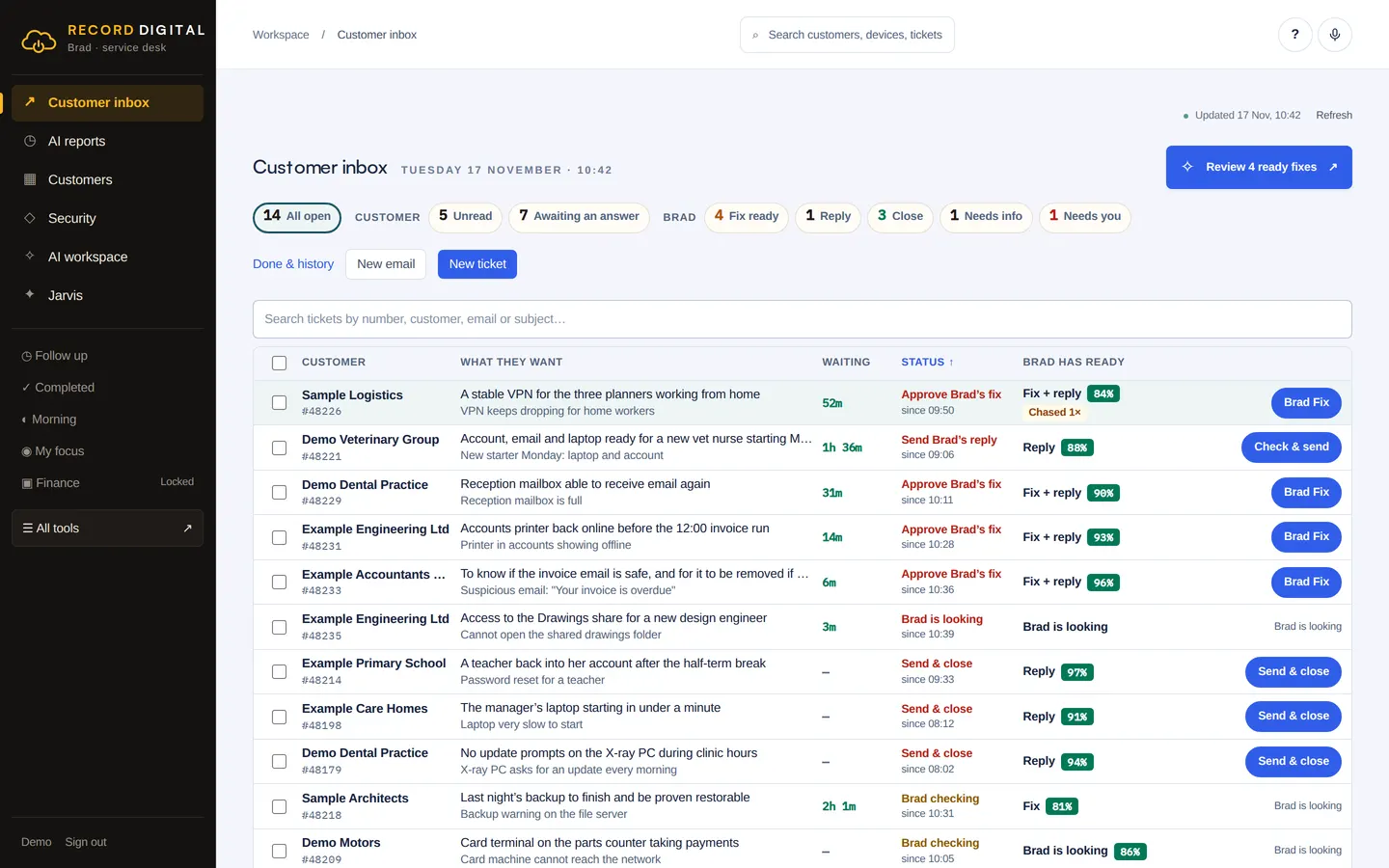
Real screens. Demo data, so no client details are shown.
The life of a ticket.
The time saved is in the middle: the investigation and the write-up are done before a person is involved, and the engineer's job becomes checking and approving.
- A ticket arrivesAutomaticBy email (the support mailbox is checked every five minutes), by phone, through the customer portal, from a monitoring alert, or raised by one of the team.
- Brad investigatesAIRead-only checks across Microsoft 365, the customer's devices, phones, DNS and past tickets. The investigation is capped in steps and time so it cannot run away.
- The fix is preparedAIA diagnosis in plain English, a numbered plan, the evidence, one proposed fix and a draft reply to the customer.
- An engineer approvesA person decidesNothing runs until a signed-in engineer presses Approve. The approval covers that one action only.
- The fix is appliedAutomaticOn the device through the monitoring agent, or in Microsoft 365.
- It is checkedAutomaticThe change is read back a few minutes later, and again later where the effect takes time. Until then the ticket says awaiting verification, not fixed.
- The customer is toldA person decidesThe reply is drafted from the actual result. A person reads it and sends it.
- Closed, then checked once moreAutomaticBrad proposes closing and a person decides. A quality check runs half an hour after the ticket closes.
From the enquiry email to the paid invoice, in one system.
A complete operations platform we designed and built for a civil engineering and surfacing contractor. Five joined-up apps on one database: the office, the planner, a foreman's app for site, a customer portal and a depot wallboard. Some steps are AI-assisted. The sums never are.
- Shared mailbox intake. AI sorts each incoming email and pre-fills the details. A person confirms before anything is created.
- Quotes and tenders. A pricing calculator works out quantities and cost by fixed formula, not AI. Approval freezes the figures and the PDF.
- Planning board. Booking a gang creates the foreman's daily sheet automatically. Double-bookings of people and plant are caught by rules.
- Foreman's app that works offline. Edits queue on the device and send when there is signal. Photograph a delivery ticket and AI reads it, the code checks the weights add up, and the gang confirms.
- Finance. Invoices, applications for payment, valuations and retentions, with links to Sage 50 and Xero.
- Safety and quality. Safety packs, non-conformance reports, quality records, vehicle checks and a three-stage sign-off.
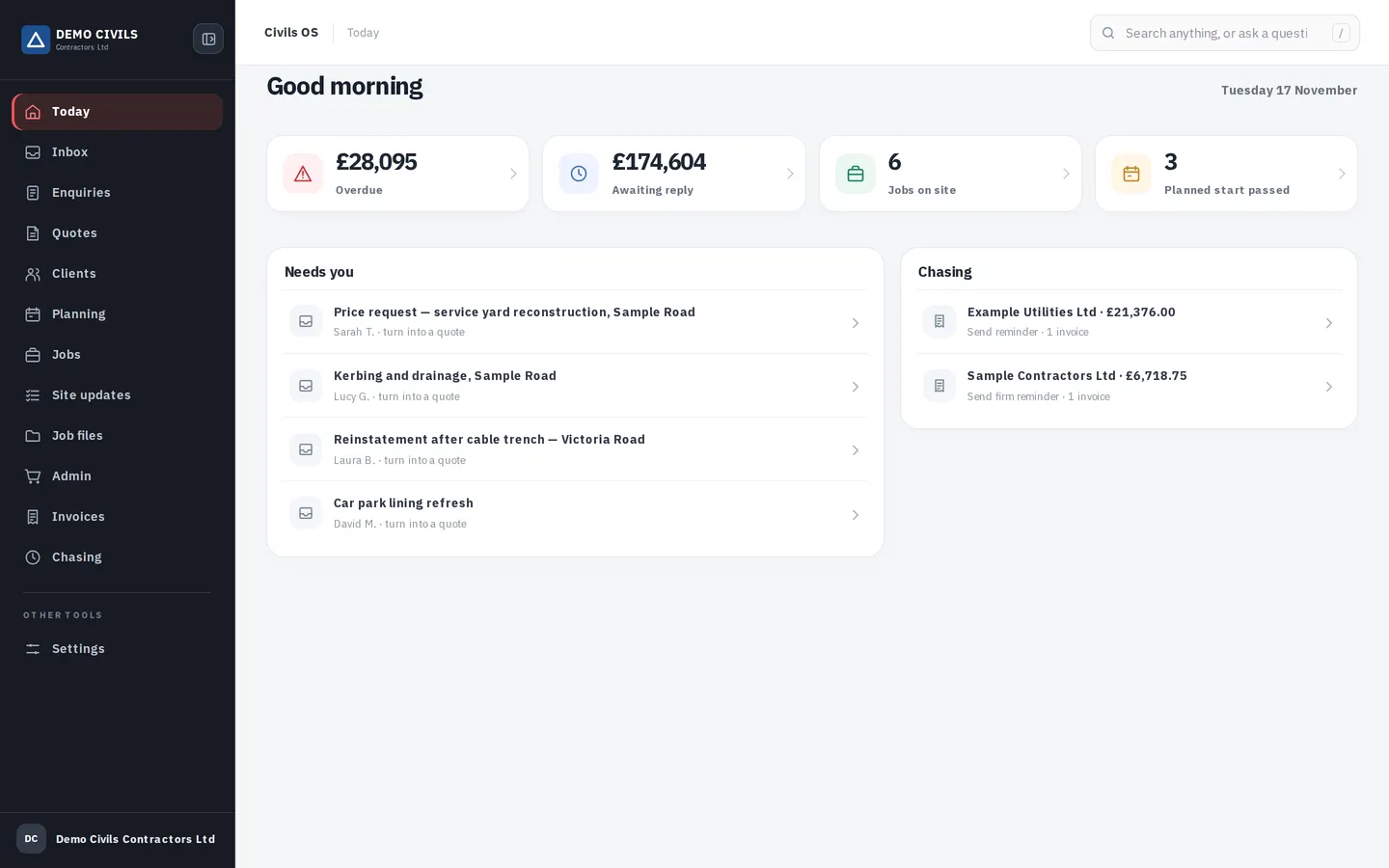
Real screens. Demo data, so no client details are shown.
How a job flows through it.
Each step shows what the software does on its own, where AI helps, and where a person makes the decision.
- Email arrivesAutomaticThe shared mailbox is read on a timer. Each email and its attachments are saved once.
- AI sorts and reads itAIIt suggests what kind of email it is and pre-fills the details from the thread, photos and PDFs. Nothing is created from it yet.
- The office confirmsA person decidesA person confirms or re-sorts the email and routes it to an enquiry.
- The quote is builtThe estimator adds lines and the calculator works out quantities and cost by formula. On request, AI suggests lines from past quotes, with rates held inside the range actually charged before. Nothing is added until the estimator ticks it.
- Approved and sentA person decidesApproval checks that every line is priced and VAT is set, then freezes the figures and the PDF. The customer accepts by private link, in the portal or by e-signature.
- Award and job in one stepA person decidesOne click on an accepted quote creates the contract award and the job together.
- A gang is bookedAutomaticThe daily sheet for that job, day and gang appears with the safety pack attached. Clashes are flagged for the planner to resolve.
- On siteAIThe foreman works on a phone or tablet, with or without signal. Operatives sign the safety pack. Delivery tickets are photographed, read by AI, checked by the code and confirmed by the gang.
- Signed offA person decidesSupervisor first, then the office, then the customer's representative.
- Invoiced and into the accountsAutomaticThe invoice is raised from the accepted quote and approved by someone with finance permission. Approved invoices go to the accounts package on a timer and payments are read back.
- Chased, politelyAIThe overdue list comes straight from the database. AI words the reminder around facts the code has checked, and a person sends it.
Every lift, live, from any browser.
A secure remote monitoring dashboard we built for the lift industry. Lift owners, building managers and engineers can see where each lift is, what its doors are doing and what has gone wrong, without a site visit. There is no AI in this one. It did not need any.
- Live view of each lift. Floor, direction, door state and service mode, refreshed every few seconds.
- Honest about its data. If a lift stops reporting, the picture is greyed out and an alert is raised. Stale information is never shown as current.
- Alerts raised automatically. From the controller's own fault flags and from the health of the monitoring link, with an email when a lift goes quiet and another when it recovers.
- Statistics you can trust. Journeys, door cycles and timings built only from activity actually observed, with a coverage figure for every period.
- Many companies, one system. Each company sees only its own lifts, enforced on the server for every request.
- Serious sign-in. Two-step sign-in with passkeys or an authenticator app, and an audit log of every sign-in, change and command.
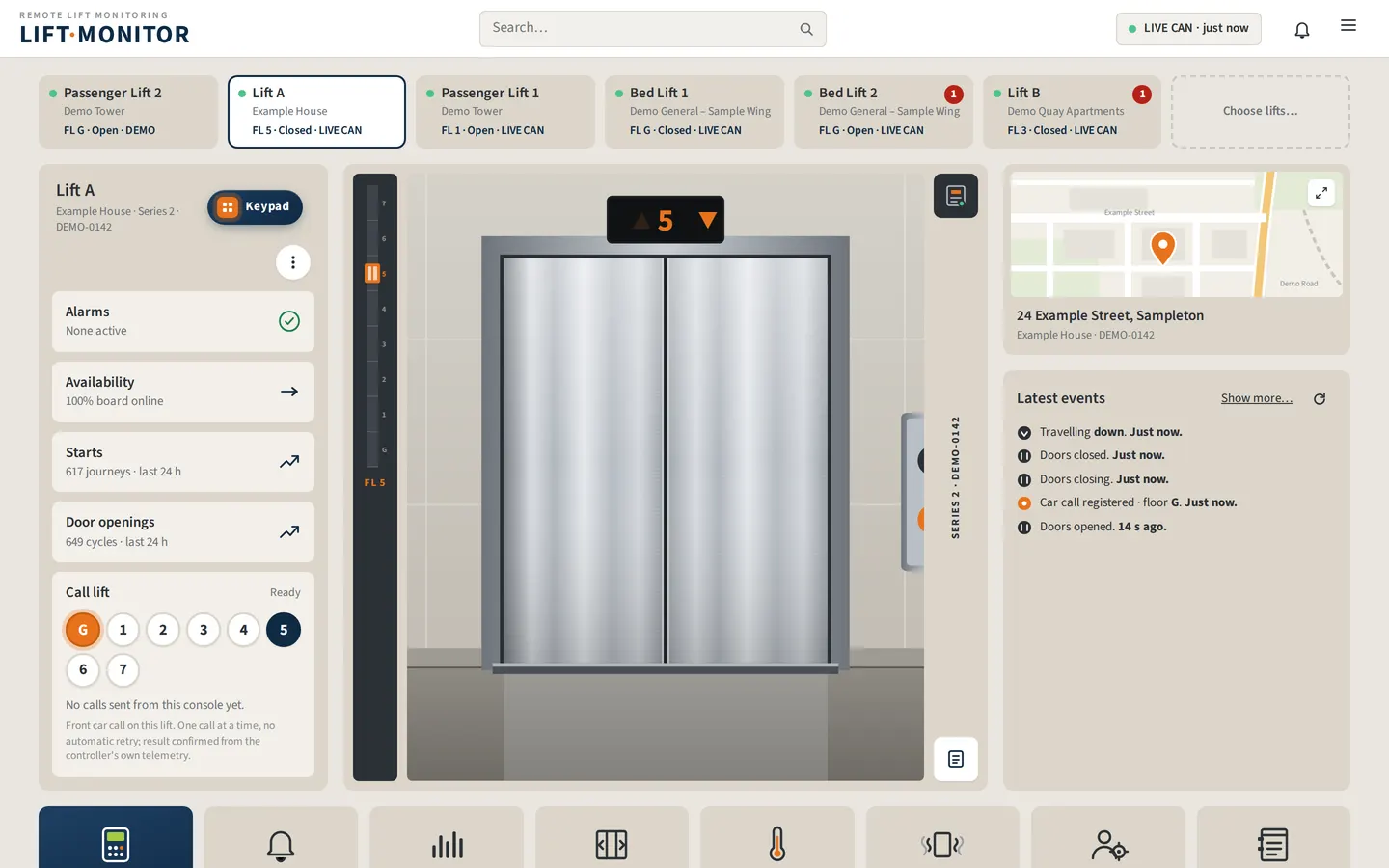
Real screens. Demo data, so no client details are shown.
How a lift gets on screen.
Once a lift is registered, the rest happens on its own.
- The lift is registeredA person decidesAn operator adds the lift, its site and its floors, and chooses the level of monitoring.
- It connects itselfAutomaticThe server starts a permanent background session for the lift within half a minute, and reconnects by itself if the link drops.
- Data is decodedAutomaticEach message is integrity-checked and turned into named signals: position, direction, doors, service mode, fault flags. Every signal remembers when it was last heard.
- The dashboard refreshesAutomaticEvery three seconds, on a drawing of the landing and a shaft position strip.
- Faults become alertsAutomaticCritical or warning, filterable by state, period and search.
- The team is toldAutomaticOne email when a monitored lift has sent nothing for ten minutes, and one when it recovers.
- The figures roll upAutomaticHourly totals are kept for twelve months. Gaps are shown as gaps, never estimated.
- Everything is on recordAutomaticSign-ins, security changes, commands and data-lost events all go to the audit log.
What is the job costing you by hand?
Pick a task your team repeats every week: re-keying orders, chasing paperwork, building the same report. Put in your own figures and see what the hours are worth, and what software, with AI or without, could hand back.
A sum from the figures you enter, using 46 working weeks and a 7.5 hour day. It is an estimate, not a quote. We look at the real process with you before we promise anything.
Before you ask.
Are these real systems or mock-ups?
They are real systems in daily use. The screens on this page are the actual interfaces, filled with demo data so that no client names, people or figures are shown.
Is everything you build AI-assisted?
No. We use AI where it does a job better than the ordinary way, such as reading incoming emails, drafting replies or reading a photographed delivery ticket. Calculations, invoicing, scheduling rules and accounting links are conventional software, and a person approves anything the AI suggests.
Can you move us off the system we use now?
Yes. Moving the existing records across is part of the job. We bring the data into the new system, check it against the old one and run the changeover with you.
Could you build something like this for our industry?
Probably. Most of these began as one painful process and grew from there. Ring 01299 333444 or send an enquiry and tell us how the job is done today.
Have a system like this in mind?
Tell us how the job is done today. We will show you what it could look like and what it would take.
01299 333444